
People are becoming cautious about their privacy on the internet. They do not want every other website to identify them, know their location, and know what all they are doing. For that, they look for a network that can act as a tunnel between their device and the internet.
That is where VPNs come into the picture, and if you are someone who is cautious about your privacy, it is important for you to understand VPNs, their use cases, and how to use a VPN.
What is a VPN, working and types?
A Virtual Private Network or what we call a VPN, acts as a protected network when a user uses the internet. It encrypts whatever you are doing on the internet and shows your info but in a disguised form, meaning that it does not show your real identity.
Its’ Working (with example)
Just imagine that you are in the USA and want to browse the internet but in disguised form. So, when you turn the VPN software on, it can show your location in India (or anywhere else as you select) and also hide your IP address (device information). Any of the third parties cannot track your activities online or steal your data in any way and all of it takes place in real time, giving you true freedom while using the internet.
Types
Mainly there are three types of VPNs, starting with the remote access VPN, which is the most individual. It connects users to a private network from anywhere and encrypts their internet traffic.
Next is site-to-site VPN, which is used by businesses to connect entire networks (like office branches) to each other.
Finally, personal VPNs and business VPNs are there, which differ on the basis of scale and features.
Why do you need or use a VPN (use cases)?
The use cases of a VPN can be vast because it is tough to quote for what everyone is using the VPN for. Still, we can talk about major use cases where everyone’s use might fall.
For traveling purposes
A lot of times, the content on the internet is region-specific. For example, there are websites that are just available in the United States and when you are traveling to the United Kingdom, you might not be able to access the US-based content. Here a VPN will be very useful to access even geo-specific content anywhere in the world.
For Streaming and Shopping Purposes
Unlike Netflix, some of the services, like Hulu and HBO, are specific to the United States only. There are people who want to access the content from their home country but are not able to do so.
Again, here, a VPN can help people access streaming platforms securely with ease. The same goes for the shopping, as some websites like eBay and Alibaba are region specific but a VPN can help you access them.
For file sharing and public Wi-Fi purposes
Now when you do peer-to-peer file sharing, it shows the IP address to people connected in the network. A VPN can hide the IP address, giving anonymity. And the same goes for accessing the public WIFIs, as they are not safe, but sometimes a user has to use them, especially at the cafes, airports, and parks.
For gaming purposes
This is one of the most popular use cases because the gaming community is one of the biggest ones. People want to access maps, skins, and DLCs that are blocked in some regions. But thankfully a VPN can help you unlock it and even help reduce the ping in case there is so much load on a server or if you want to play with stronger players from some other region
How to find, install, and use a VPN—a step-by-step guide?
If you are still at this point of the guide, you have enough understanding of the concept of VPN and now must be ready to use one VPN. Let’s jump to it now.
Step 1: Choosing a Trusted VPN Provider
Before you start using a VPN, you have to pick one because there are a lot of options available in the market, and for the best service, you have to pick a reliable and best VPN service. Do avoid the free VPNs because they might sell your data or provide you with weak security.
One of the best VPN provider that we highly recommend is ExpressVPN. Because we have used it personally and it is quite a popular and reliable option in the market. It is fast, easy to use, and works on all the devices—a phone, tablet, and laptop. A few of the benefits of ExpressVPN are:
- No activity logs
- User-friendly apps
- 24/7 live support
- 30-day money-back guarantee
- Servers in 100+ countries
- Works with Netflix, Hulu, BBC iPlayer, and more.
Step 2: Downloading and Installing the VPN App
Now you might be on a phone, tablet, or desktop, but most of the professional users prefer desktop devices. So, we are going to use the desktop platform and since we picked up ExpressVPN, we are going to show you the steps of ExpressVPN.
- Head to the official website of ExpressVPN.

- Click on Get Started.
- Choose your desired package and click on Get Premium.
- Fill in the checkout details, account creation (if asked) and complete the payment.
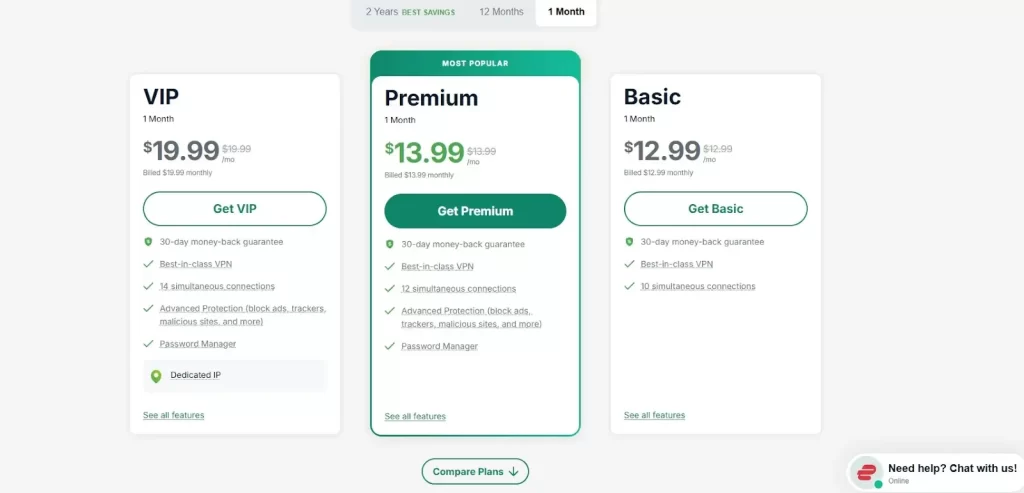
- Now you will see options to download the app, so pick your operating system and click on the download now button.
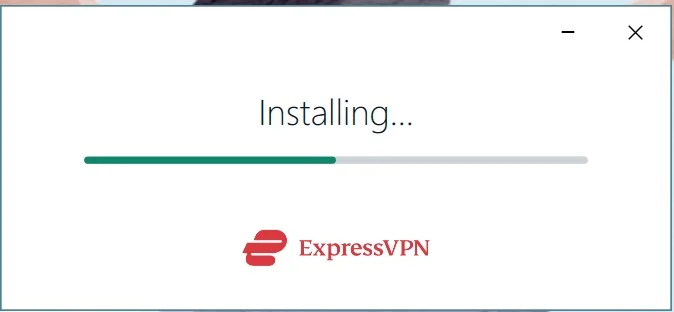
- After the download, install the downloaded file.
Step 3: Using the VPN app
Now you are ready to use your ExpressVPN app for your browsing purposes.
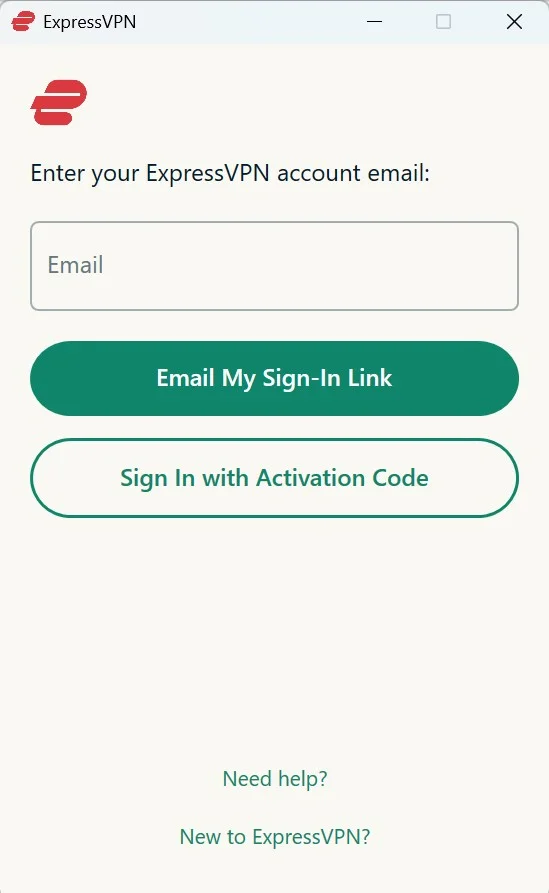
- Once installed, open ExpressVPN.
- Enter the activation code (if you have already) or Click on Sign in.
- Type your credentials, and sign in to your account or click on “New to ExpressVPN to create an account).
- Choose your desired location in the app and click on connect.
- Congratulations, you have successfully connected to the VPN network.
Feel free to play around with the features in the app and keep exploring its diverse offerings.
Quick Tips for Using VPN Effectively
Once you have set up your VPN, there are a few simple things you can do to get better protection and smoother performance.
First is to enable auto-connect so that VPN launches automatically whenever your device starts or when you join an unknown network. Next is that you can make sure that the kill switch feature is turned on. It is a safety net that blocks all internet access in case your VPN connection suddenly drops due to any reason.
Finally, you can also explore Split Tunneling, which is quite a handy feature that will let you run only specific apps using the VPN while still keeping others connected directly.
Things to Avoid While Using or Picking a VPN
The fact is that not all VPNs are created at the same time, so some may actually put your privacy at risk. There are a few red flags you must avoid while using a VPN.
- Free VPNs with no clear privacy policy mentioned.
- No kill switch feature
- Weak or outdated encryption techniques
- No dedicated or responsive customer support
- Unknown company or no background info mentioned
Final Thoughts
In 2026, VPN is no longer just for tech geeks or someone who is very much active about privacy. It has become a must-have for everyone who wants to use the internet with safety, no matter if they use it for watching Netflix, shopping online, or simply checking their emails at the public Wi-Fi of an airport.
The above guide on VPN will help you to understand everything in detail and you can freely install ExpressVPN (since we mentioned the steps to install it) in case you are not sure which VPN service to use. Stay private and stay secure when you are online!
FAQs
Yes, phones are as vulnerable as your computers and have IP addresses and other traces. A VPN will protect your data and your identity on the phone too.
Very easily! VPNs like ExpressVPN will let you connect from a range of locations and once you are connected, you can start using the platform just as you are in that same country.
Yes, when you use a VPN, your ISP cannot see the websites you are visiting or what you are doing online. All they see is that you are connected to a VPN server, which is completely right and they are not able to trace anything.

Securing Your Online Space Made Easy This VPN guide breaks down complex concepts into practical steps, especially the tips for protecting data on public Wi-Fi and accessing geo-restricted content safely. Running a small business website, I see how understanding VPNs can complement affordable digital marketing services for safer online campaigns. It also raises an interesting point could secure browsing indirectly improve overall website performance? Posts like this make digital security approachable and actionable for beginners.