




Starting Price
$10.00 one time payment
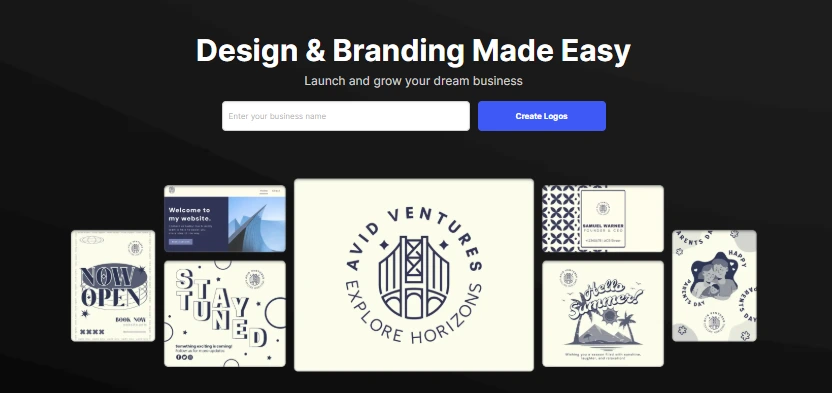
Design.com is becoming popular throughout the world as a design tool specialized in logo maker and social media posts due to its ease of use for designers, marketers, developers, and business owners.
For anyone planning to create a website or social media posts, or simply a logo, they can create attractive designs with this design tool.
But does it actually deliver on that promise and is it a right fit for your next project?
In this review, we are going to find out everything that Design.com has to offer, right from its features and templates to usability, templates, visual editor, and pricing.
The platform stands out immediately for its clean and minimal interface that is clearly created with beginners in mind and the depth of what a professional might want.
Logging into the portal for the first time is easy and users are again referred back to the main home page, which is also a dashboard of this platform. The rest of the details are asked after the users click on creating some designs.
Templates are very easy to browse as they are categorized under different design requirements like logos, social media posts, business cards, etc. Once you pick one of the templates, you are then sent to their visual editor, where the real editing of images goes.
At first impressions, Design.com really has a great design language to it and without any coding or design knowledge, anyone can start creating some marvelous designs without any issues since everything is drag and drop. The tool really respects the user’s time.
Design.com is more of a template-based design tool, saving time for users. It has a generous collection of some of the highest-quality templates, suiting the needs of freelancers, small business owners, or even a full-scale agency. There is likely a template that will fit everyone’s needs in their niche.
It has got some interesting graphics to make your web pages appealing. Each template has a modern, clean, and visually appealing appearance where the font, color schemes, and layouts are created by professionals. This collection often suits even the best WordPress themes available in the market.
It is also a favorite among photography website builders.

Once you have picked a template, Design.com sends you to their visual editor, where you can take full control to edit every section of the template.
On the top of the bar, there are controls related to reset, undo, redo, and delete with opacity, layer, flip, and duplicate features. It is good to have these options on the top, as people use them quite often. For the right-hand side toolbar, you get a range of options. The key features of the visual editor are as follows:
The tool gives a wide range of access to customization options, but it also does not overdo it to maintain that quick design solution provider tag.
For people looking for quick designs that are highly optimized for speed and search engines, then it is a really great place to get your designs.
Design.com runs on a freemium model, but with a catch, causing a lack of transparency. It is free in the beginning, right from selecting the template to editing the graphics. But, as soon as you click the download button, you will be asked to pay as compared to some free website plugins that give design solutions completely free.
The pricing of the tool is divided into 2 options. The first is the premium plan and the other one is the premium design pack + website.
For the premium plan, you have to pay $ 5.00, where you get access to a logo editor, storage of files on the cloud, and more than 284,000 templates for different requirements.
In the premium design pack, you get designs plus a website costing & 9.00 per month.
Payment options are flexible as you can pay with your credit cards instantly. However, note that the prices were fluctuating a bit for different templates and logos, so check it carefully while performing a checkout.
| Starter | Premium | ||||||||
|---|---|---|---|---|---|---|---|---|---|
| ₹250.00 per month | ₹425.00 per month | ||||||||
|
| ||||||||
| Get Started | |||||||||
| Premium Plan | Premium Design Pack + Website | ||||||||
|---|---|---|---|---|---|---|---|---|---|
| ₹255.00 per month | ₹510.00 per month | ||||||||
|
| ||||||||
| Get Started | |||||||||
| Premium Plan-Monthly | Premium Plan-Yearly | ||||||||
|---|---|---|---|---|---|---|---|---|---|
| ₹765.00 per month | ₹510.00 per month | ||||||||
|
| ||||||||
| Get Started | |||||||||
| Premium Plan | Premium Design Pack + Website | ||||||||
|---|---|---|---|---|---|---|---|---|---|
| ₹255.00 per month | ₹510.00 per month | ||||||||
|
| ||||||||
| Get Started | |||||||||
| Starter | Premium | ||||||||
|---|---|---|---|---|---|---|---|---|---|
| ₹250.00 per month | ₹425.00 per month | ||||||||
|
| ||||||||
| Get Started | |||||||||
Yes. You can integrate logos, graphics, and product visuals directly into Shopify, WordPress, or custom sites using auto-generated code snippets.
Design.com uses intelligent layout recommendations that adjust spacing, font pairing, and alignment automatically for balanced visual output.
Using Design.com is faster and more budget-friendly than hiring a graphic designer. You get instant access to templates and can make unlimited revisions.
Yes. Design.com is built for users who don’t have design experience. You select a template, make changes via the editor, and download the finished design. No coding or advanced graphics software knowledge is required.
Yes. You can upload your logo, set brand colors, fonts, and reuse them across templates so all your assets stay consistent. This helps you maintain brand identity across different design formats.
Starting Price
$10.00 one time payment
Starting Price
$30.00 one time payment
Starting Price
$24.99 one time payment
Starting Price
$20.00 one time payment
Starting Price
$4.99 per month
Starting Price
$3.99 per month




Cristlin
OUTSTANDING
Flexible and Easy to Use
03 Nov 2025
Design.com is an amazing software. Its ease of use and flexibility make it a better option for beginners, freelancers. And it is also a game-changer for entrepreneurs and small businesses. Its prices are affordable, and it has a friendly customer support team. Thank you, Design.com. Highly recommend!
Reply as brand