
Finding the perfect WordPress theme is one of the most important decisions you'll make for your website. With so many themes flooding the market, it's easy to feel lost when searching for something that packs powerful features without being too complicated for newcomers.
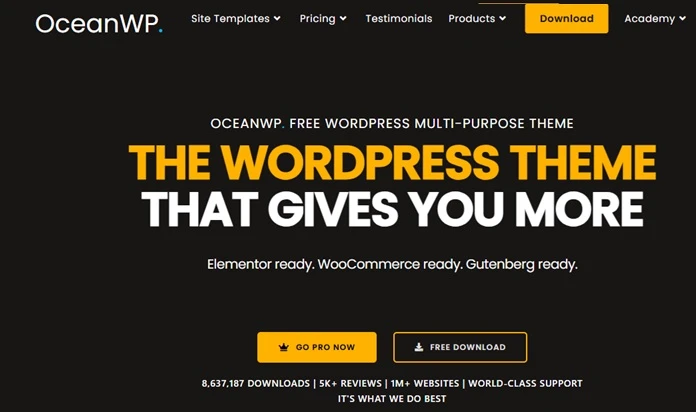
OceanWP has caught the attention of over 600,000 WordPress users worldwide, and for good reason. This free multi-purpose theme promises professional designs, fast loading speeds, and seamless integration with popular page builders like Elementor.
But does it live up to the hype? In this detailed review, we'll dive into OceanWP's key features, pricing options, and real-world performance to help you decide if it's the right fit for your website or online store.
What is OceanWP & What Does it Do?
OceanWP is a mobile-friendly, multi-purpose theme that's suitable for all kinds of websites. Think of it as your website's foundation that comes with 210+ full site templates you can import with one click, eliminating the need to start from scratch.
It works seamlessly with popular page builders like Elementor and has built-in WooCommerce support, making it perfect for blogs, business sites, or online stores.
The theme gives you complete control over headers, colors, layouts, and more – all without coding. With 1 million+ websites using it, OceanWP has proven itself as a reliable choice that grows with your needs.
OceanWP Pros & Cons
Pros
- Highly customizable - Create unique websites with tons of customization options
- Perfect for online stores - Seamless WooCommerce integration for e-commerce sites
- Fast and lightweight - Quick loading times and good performance out of the box
- Free and premium options - Flexibility to start free and upgrade as you grow
- Ready-made demos - Variety of demo websites you can import as starting points
- Mobile-friendly - Responsive design that looks great on all devices
- SEO-optimized - Built with search engine best practices to help you rank higher
- Solid support - Good support for all users, with premium options available
Cons
- Can overwhelm beginners - Too many options and plugins might confuse WordPress newcomers
- Some demos look outdated - Not all demo sites feel modern or current
- Basic free styling - Free version requires customization or premium extensions for advanced looks
- Needs optimization - Can be slower than other themes without proper setup
- Confusing pricing - Sales policy and multi-site licensing can be unclear
What are OceanWP Key Features?
Website Layout
Choose from 3 different website layout styles to match your brand's personality. You can fine-tune container and content widths to strike the ideal balance between easy reading and attractive visuals, making sure your content displays perfectly across all devices.
Global Styles
Style your entire website consistently with global controls for buttons, forms, page titles, icons, and typography colors. This feature saves you tons of time by letting you set design standards once and apply them across your entire site automatically.
Global Typography
Access over 1,500 Google fonts plus local fonts and Adobe Fonts to create the perfect text hierarchy for your website. You get full control over font styles and responsive settings, so your typography looks crisp and professional on every device.
Responsive Settings
Customize your website's appearance across various devices by tweaking columns, dimensions, fonts, and spacing specifically for desktop, tablet, and mobile screens. This guarantees visitors enjoy a seamless experience regardless of whether they're using their smartphone or laptop.
Global Page Settings
Control page titles, layouts, and adjustable heading tags with additional mobile-specific options. These settings give you the flexibility to create unique page structures while maintaining consistency across your website.
Blog & Shop
Create separate layouts for your blog and shop sections, select from various pagination options, and control exactly how your content appears to visitors. This feature is perfect for creating distinct experiences for your readers and customers.
Content Loop Builders
Easily reorder and customize how elements appear on your shop, blog, product pages, and posts using simple drag-and-drop functionality. You can arrange everything exactly as you want without touching any code.
Header & Top Bar
Choose from 7 built-in customizable header styles, including options for top bars, social menus, and custom template support. Your header is often the first thing visitors see, so these options help you make a great first impression.
Footer
Create an adjustable footer with parallax effects, custom footers, and copyright options that perfectly complement your website design. A well-designed footer can improve navigation and provide important information to your visitors.
Sidebars
Set up global sidebars for pages, shop sections, archives, blog posts, and individual pages with specific settings for each. Sidebars are great for showcasing important content, widgets, or calls-to-action without cluttering your main content area.
Mobile Header
Design mobile-specific headers with 3 adjustable styles, animated burger icons, and mobile search functionality. Since most people browse on mobile devices, having a dedicated mobile header ensures your navigation works perfectly on small screens.
Search
Customize your search functionality with 3 different form styles, search page result options, and mobile search features. A good search experience helps visitors find what they're looking for quickly, reducing bounce rates and improving user satisfaction.
SEO
Built-in basic Schema markup, adjustable heading tags, and additional SEO settings help your website rank better in search engines. These features work behind the scenes to make your content more discoverable without requiring technical SEO knowledge.
Shortcodes
Access a library of various shortcodes with Customizer support, allowing you to add dynamic content and functionality throughout your website. Shortcodes are like little pieces of code that add features without the complexity of actual programming.
Custom CSS & JS
Add custom CSS and JavaScript codes directly in the Customizer with a built-in codes library for easy management. This feature gives advanced users the freedom to add custom functionality while keeping everything organized in one place.
WordPress Widgets
Use multiple WordPress widgets in your sidebars and footer areas to add extra functionality and content blocks. Widgets are perfect for adding social media feeds, recent posts, contact forms, or any other dynamic content to your website.
User Controls
Hide or disable settings and features you don't use to keep your workspace clean and improve website performance. This smart feature ensures you only load what you actually need, making your website faster and your admin area less cluttered.
Icons
Choose from built-in icon packs, social media icons, and header icons, with the ability to disable icon packs you don't use. Icons help communicate information quickly and add visual interest to your design without slowing down your website.
Performance
Disable WordPress options or OceanWP features and scripts you don't use to optimize your website's loading speed. Faster websites rank better in search engines and provide better user experiences, making this feature essential for success.
OceanWP Panel
Manage additional options and features from the user-friendly OceanWP panel, giving you centralized control over your theme settings. This dashboard makes it easy to find and adjust settings without hunting through different WordPress menus.
OceanWP Pricing Plans
OceanWP Pro Bundle
Starter: $35/yearly
Personal: $43/yearly
Business: $80/yearly
Agency: $143/yearly
Ocean Ecomerce Pro
Store: $39/yearly
Entrepreneur: $43/yearly
Shopping Plus: $62/yearly
Shopping Mall: $111/yearly
Ocean Site Booster
Spark: $34/yearly
Swift: $38/yearly
Turbo: $62/yearly
Hyper: $111/yearly
OceanWP Pro Bundle
| Starter | Business | Agency |
|---|---|---|
| $35.00 per year | $80.00 per year | $143.00 per year |
|
|
|
Ocean eCommerce Pro
| Store | Entrepreneur | Shopping Plus |
|---|---|---|
| $ 39.00 per year | $ 43.00 per year | $ 62.00 per year |
|
|
|
Site Booster plan
| Spark | Swift | Turbo |
|---|---|---|
| $ 29.00 per year | $ 32.00 per year | $ 53.00 per year |
|
|
|
OceanWP Reviews: What Do Its Customers Have to Say?
OceanWP's customer feedback presents a mixed picture that potential users should carefully consider. Based on available customer reviews, the theme shows a pattern of experiences that range from technical satisfaction to business-related frustrations. While many users appreciate the theme's functionality and features, there are some recurring issues that surface in customer feedback that go beyond just the theme's performance and customization capabilities.
The most concerning issues raised by customers center around billing and customer service problems rather than the theme itself. Several reviewers have reported difficulties with subscription management, including unexpected renewals and challenges getting refunds. One customer described being "repeatedly billed after canceling subscriptions" and having trouble getting a refund from either OceanWP or their billing platform
Freemius.
Another reviewer mentioned they "were never able to download and use the product" despite repeated contacts to support that went unanswered. These billing-related complaints suggest that while the theme may work well, the business side of the operation has room for improvement in terms of transparency and customer communication.
OceanWP's team does actively respond to negative reviews, which shows they're engaged with customer feedback. In their responses, they explain their policies in detail, including their 14-day no-questions-asked refund policy and the fact that renewals (whether automatic or manual) are not subject to refunds.
They also clarify that all renewal information is provided during checkout and in confirmation emails, and customers receive automated courtesy email reminders 30 days before renewal. The company emphasizes that they take security seriously and require authorized requests for account changes, which explains some of the procedural hurdles customers encounter.
It's important to balance these concerns against OceanWP's massive user base of over 600,000 active installations and generally positive reception in the WordPress community. The negative reviews appear to focus primarily on business processes rather than theme functionality, suggesting that the product itself performs well for most users. However, potential customers should carefully read the terms and conditions before purchasing premium features, understand the renewal policies to avoid unexpected charges, and ensure they're using authorized email addresses for any account-related requests to avoid service delays.
Final Recommendation
OceanWP is genuinely one of the best free WordPress themes available, especially if you're building an online store or need extensive customization options. With 600,000+ active users and seamless WooCommerce integration, it's proven itself as a reliable choice that can grow with your business.
The free version alone offers more features than most premium themes, and the 210+ demo templates make getting started incredibly easy.
However, approach the premium features with caution. While the theme itself is excellent, some users have experienced billing and customer service issues that can be frustrating to resolve.
If you're just starting out, stick with the free version first to see if it meets your needs. If you do decide to upgrade, read the terms carefully and make sure you understand their renewal policies. Overall, OceanWP is worth trying – just be smart about how you approach the premium side of things.