- ✓SecureMyEmail-Military Grade Encryption
- ✓30 Day Free Trial
- ✓Highest Level of Security & Privacy
- ✓Supports Mac, Windows, Android, and iOS Devices
Compare the best email encryption tools of 2026to protect sensitive emails, prevent data breaches, ensure privacy, and choose the right secure email provider.
Best Email Encryption Tools & Software 2026
What if someone intercepted one of your emails today?
If it contained customer data, financial details, or confidential business information, the consequences could be costly.
Email is one of the most widely used business communication tools, but it's also a common target for phishing attacks, data breaches, and email hacking. That's why protecting sensitive emails with encryption is more important than ever.
Email encryption ensures that only the intended recipient can read your messages, helping keep your sensitive information safe. Whether you run a business or simply value your privacy, the right email encryption software helps protect your communications.
In this guide, we'll compare the best email encryption tools of 2026, including their features, pricing, pros, cons, and best use cases.
Why Email Encryption Matters?
The email encryption market is expected to grow from USD 9.30 billion in 2025 to USD 23.33 billion by 2030, showing that secure email is becoming more important than ever.
If you send invoices, contracts, customer information, or other sensitive files by email, protecting them should be a priority. Without email encryption, there's always a risk that your messages could be intercepted before they reach the recipient.
Email encryption also protects important attachments like contracts, financial reports, and legal documents. It helps keep your business and customer information safe from unauthorized access.
It also helps build trust with your customers by showing that you take their privacy seriously. For businesses that handle sensitive data, it can also support compliance with regulations such as GDPR and, where applicable, HIPAA.
The good news is that most email encryption tools work automatically once they're set up. You can keep using email as usual while knowing your messages are much more secure.
What Is an Email Encryption Tool?
An email encryption tool protects your emails by converting them into unreadable code before they're sent. This means that even if someone intercepts your email, they won't be able to read it without the correct decryption key.
Only the intended recipient can unlock and read the message. That's why email encryption is one of the best ways to protect sensitive information like customer data, financial records, legal documents, and confidential business emails.
Think of a regular email as a postcard—anyone who sees it can read what's written on it. An encrypted email is like a locked box that only the recipient has the key to open.
Whether you're sending business documents or personal information, an email encryption tool helps keep your messages private from the moment you click Send until they reach the right person.
Top 10 Email Encryption Tools & Software
There are many email encryption tools available, but not all offer the same level of security or features. To help you choose the right one, we've compared the best email encryption software of 2026 based on their security, features, pricing, ease of use, privacy, support, and overall value.
- ✓Secure email hosting for your business
- ✓Unparalleled security and privacy
- ✓Stay professional with [email protected]
- ✓Extensive Control Panel
- ✓No more trackers in your inbox
- ✓Ad free, always free
- ✓Safe from spam and phishing
- ✓Password protection
- ✓Provides Best Email Encryption Solutions
- ✓Offers User-Friendly, Certified Encryption
- ✓Seamlessly Integrates with Microsoft 365
- ✓Offers Dedicated Concierge Setup & Supports
- ✓Secure & Reliable Email Marketing Services
- ✓Offers Free 7-Day Trial
- ✓Provides Advanced Spam Protection
- ✓Offers Unlimited Email Aliases
- ✓Most Reliable Email Marketing Services
- ✓Provides Easy-to-Use Encrypted Email
- ✓Offers 14 Day Free Trial
- ✓Provides Priority Email Support
- ✓Provides Fully Secure & Private Email Services
- ✓Ease of Use with Real Security
- ✓Compliant with the GDPR
- ✓Offers Free & Flexible Pricing Plans
- ✓Most Secure Email Marketing Services
- ✓Very Easy to Use & Feature Rich
- ✓Uses End to End OpenPGP Encryption
- ✓Provides Excellent Customer Support
1. SecureMyEmail
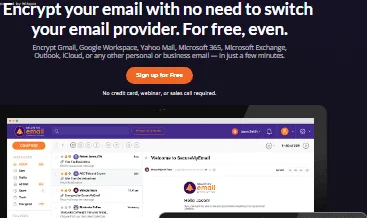
SecureMyEmail is an easy-to-use email encryption tool that adds end-to-end encryption to your existing email account. It works with popular providers like Gmail, Outlook, Yahoo, and Microsoft 365, making it simple to send secure emails without changing your email service.
Key Features
- Works with Existing Email Accounts: SecureMyEmail works with Gmail, Outlook, Microsoft 365, Yahoo, and other IMAP email providers. You can encrypt your emails without changing your current email service.
- Passwordless Secure Sharing: Recipients can open and reply to encrypted emails through a secure link. This makes sharing encrypted emails simple, even with non-users.
- Zero-Knowledge Encryption: Only you and the recipient can read encrypted emails. Even SecureMyEmail cannot access your messages.
- Cross-Platform Support: The service works on Windows, macOS, Android, and iPhone. This lets you access encrypted emails from any device.
- Compliance Support: It includes features that help businesses protect sensitive data and support GDPR and HIPAA compliance.
Pros
- Works with most existing email providers, including Gmail and Microsoft 365.
- Simple passwordless encrypted email sharing.
- End-to-end and zero-knowledge encryption for better privacy.
Cons
- Advanced features require a paid subscription.
- Doesn't include built-in email hosting, as it works alongside your existing provider.
Pricing
SecureMyEmail offers a Free Forever plan for one Gmail, Yahoo, or Microsoft consumer email account. Paid plans start at .99 per month or .49 per month when billed annually. Every paid plan also includes a 30-day free trial.
Best For
SecureMyEmail is best for individuals, freelancers, healthcare providers, legal firms, and small businesses that want to encrypt their existing email accounts without switching providers.
2. Zoho Mail
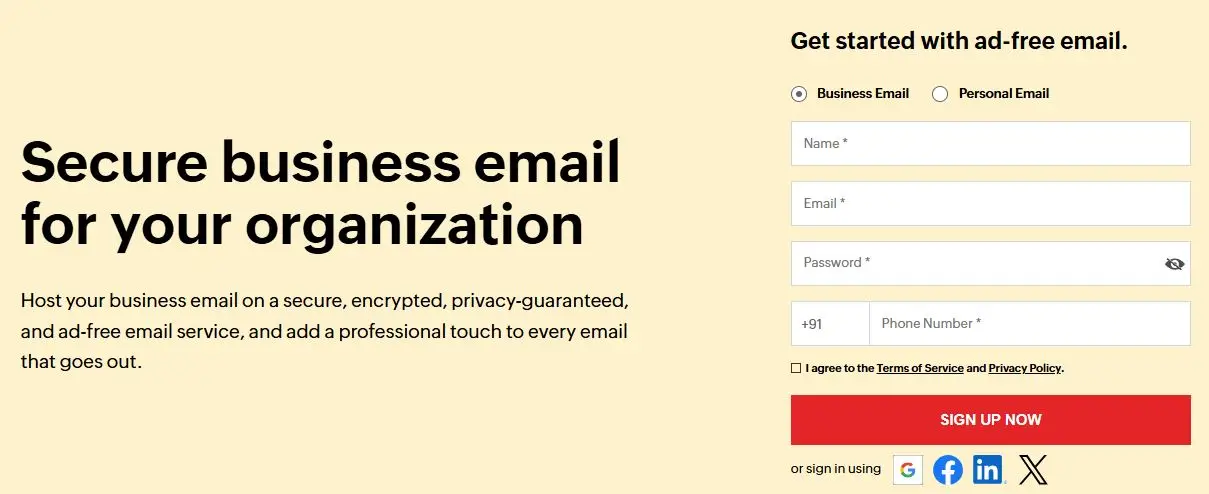
Zoho Mail is a secure business email service that offers custom domain email, built-in encryption, spam protection, and collaboration tools. It's a good choice for businesses looking for a secure and reliable email solution.
Key Features
- Business Email Hosting: Create professional email addresses using your own domain. It's a complete email solution for businesses.
- Admin Console: Manage users, security settings, and email policies from one dashboard. This makes administration much easier.
- Email Retention & eDiscovery: Store, search, and recover emails when needed. This is useful for compliance and audits.
- Zoho Streams: Collaborate with teammates by commenting on emails and assigning tasks. It reduces long email threads.
- Easy Email Migration: Move emails from Gmail, Microsoft 365, and other providers with built-in migration tools.
Pros
- Secure, ad-free business email hosting.
- Encryption, spam protection, and S/MIME support.
- Built-in collaboration features with Zoho Streams.
Cons
- Some advanced security and admin features are available only on higher-tier plans.
- Better suited for business users than individuals looking only for email encryption.
Pricing
Zoho Mail offers a free plan for personal use and small teams. Paid business plans start at ₹59 per user per month and include additional storage, security, and business features.
Best For
Zoho Mail is a great choice for startups, small businesses, and enterprises that need secure business email with custom domains and collaboration tools.
3. Proton Mail
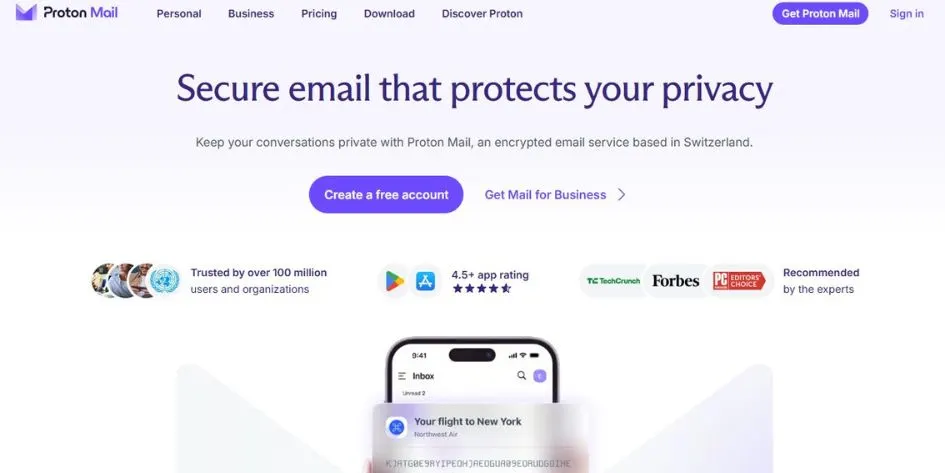
Proton Mail is a privacy-focused email service that uses end-to-end encryption to keep your emails secure. It's a popular choice for individuals and businesses looking for a secure alternative to Gmail or Outlook.
Key Features
- End-to-End Encryption: Your emails are encrypted before they're sent, so only the intended recipient can read them.
- Swiss Privacy Protection: Proton Mail is based in Switzerland, where strict privacy laws help protect your data.
- Hide My Email Aliases: Create email aliases to protect your real email address. This helps reduce spam and unwanted emails.
- Tracker & Phishing Protection: It blocks email trackers and helps protect you from phishing attempts. This adds another layer of privacy.
Pros
- Industry-leading end-to-end and zero-access encryption.
- Strong privacy protection under Swiss law.
- Built-in phishing and tracker protection.
Cons
- Some advanced business features require a paid subscription.
- Beginners may need a little time to understand privacy-focused features.
Pricing
Proton Mail offers a free plan with 1 GB of storage. Paid plans start at .99 per month (billed annually) and include more storage, custom domains, and additional features.
Best For
Proton Mail is ideal for individuals, businesses, journalists, and anyone looking for a secure and private alternative to Gmail or Outlook.
4. EncryptTitan
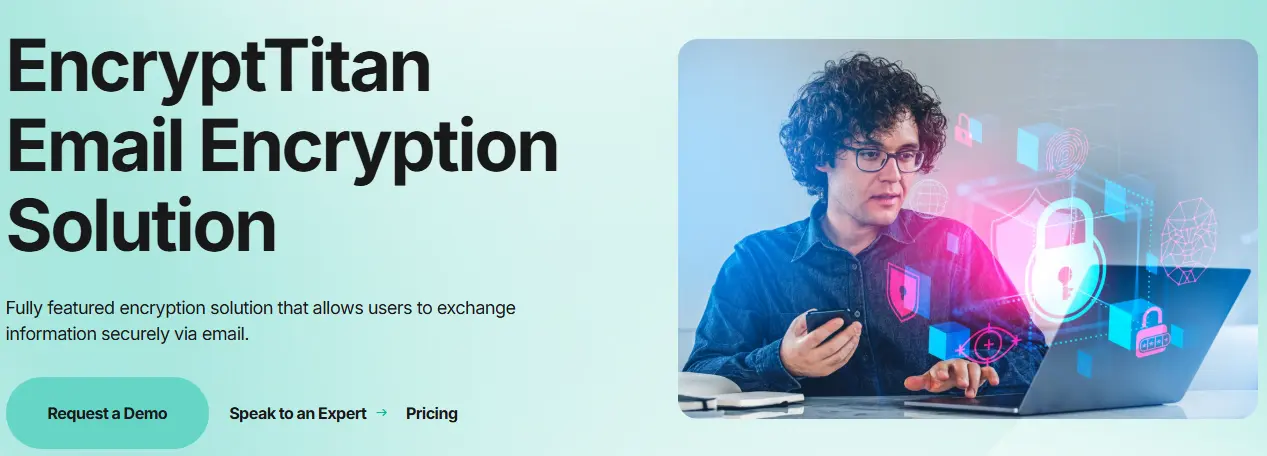
EncryptTitan is an email encryption solution designed for businesses that need to protect sensitive information. It offers automatic email encryption, Microsoft 365 integration, and compliance features while keeping the encryption process simple for employees.
Key Features
- Password-Protected Emails: You can send encrypted emails to anyone by securing them with a password, even if they don't use Proton Mail.
- Automatic Email Encryption: EncryptTitan automatically encrypts emails based on your security policies. This reduces the risk of human error.
- Microsoft 365 Integration: It works directly with Microsoft 365 and Outlook. Your team can continue using their existing email workflow.
- Data Loss Prevention (DLP): Built-in DLP helps prevent sensitive information from being shared accidentally. It's useful for protecting customer and business data.
- Policy-Based Encryption: Create rules to automatically encrypt emails based on keywords or content. This ensures important messages are always protected.Compliance Support: EncryptTitan helps businesses meet security and compliance requirements such as GDPR, PCI DSS, SOX, and GLBA.
Pros
- Automatic policy-based email encryption.
- Supports Data Loss Prevention (DLP).
- Easy integration with Microsoft 365 and Outlook.
- Helps meet GDPR, FIPS, SOX, GLBA, and PCI DSS compliance.
- Cloud-based solution with simple deployment.
- Well suited for MSPs and enterprise environments.
Cons
- Primarily designed for businesses rather than personal users.
- No free plan available.
- Advanced features may require administrator setup.
Pricing
EncryptTitan plans start at €2.70 per user per month when billed annually. Businesses can also request custom enterprise pricing.
Best For
EncryptTitan is a good choice for Microsoft 365 users, businesses, managed service providers (MSPs), healthcare organisations, and legal firms that need secure email encryption.
5. StartMail
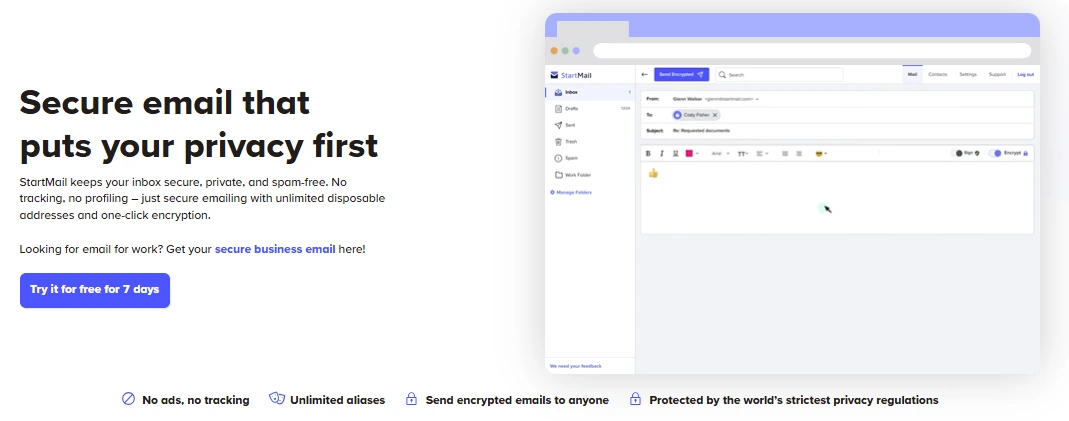
StartMail is a secure email service that focuses on privacy and ease of use. It offers encrypted email, unlimited email aliases, custom domains, and password-protected messages, making it a great choice for both personal and business use.
Key Features
- Unlimited Email Aliases: Create unlimited email aliases to protect your real email address. This helps reduce spam and improves your privacy.
- One-Click PGP Encryption: Encrypt emails with a single click using OpenPGP. It's an easy way to send confidential messages securely.
- Password-Protected Emails: Send encrypted emails to anyone by setting a password. Recipients don't need a StartMail account to read them.
- Privacy-First Design: StartMail doesn't show ads or track your activity. Your email data stays private.
- Works with Email Apps: Use StartMail with its webmail or connect it to popular email apps using IMAP.
Pro
- Unlimited disposable email aliases.
- Password-protected and PGP-encrypted emails.
- No ads, tracking, or data profiling.
- Strong GDPR and European privacy protection.
- Works with custom domains and popular email clients.
- Easy migration from other email providers.
- Free 7-day trial available.
Cons
- No permanently free plan.
- Storage is lower than some competing providers.
- Collaboration features are limited compared to business email suites.
Pricing
StartMail offers a 7-day free trial. Paid plans start at .99 per month, while Business plans start at .99 per user per month.
- Best For
StartMail is ideal for individuals, freelancers, journalists, and small businesses that want secure email with strong privacy protection.
6. Hushmail
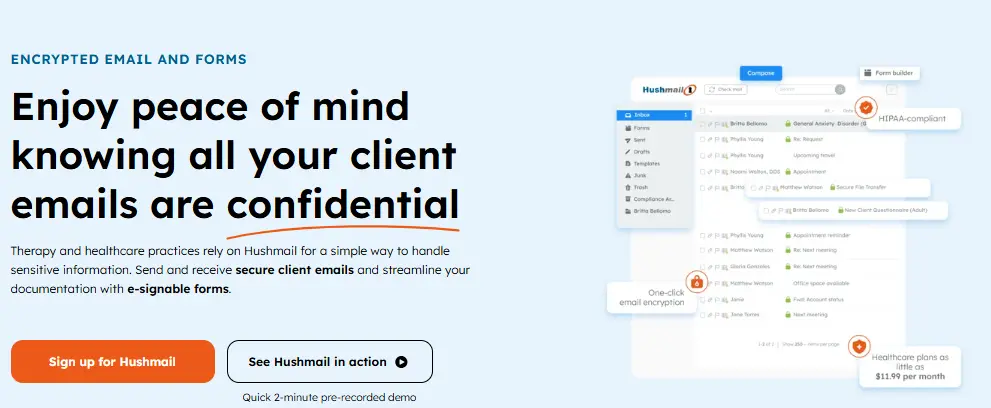
Hushmail is a secure email provider designed for healthcare, legal, financial, and other businesses that handle sensitive information. It combines encrypted email with compliance features to help organisations communicate securely.
Key Features
- Encrypted Email: Protect sensitive emails with built-in encryption. It helps keep business and client communications private.
- HIPAA Compliance: Hushmail includes features that support HIPAA compliance. This makes it a popular choice for healthcare organisations.
- Secure Online Forms: Create encrypted forms to collect documents, patient information, and electronic signatures securely.
- Custom Domain Email: Use your own domain name to create professional business email addresses while keeping communications secure.
- Outlook Compatibility: Hushmail works with Outlook and other supported email apps, making it easy to fit into your existing workflow.
Pros
- Easy-to-use encrypted email service.
- HIPAA-compliant for healthcare organizations.
- Supports custom domains and Outlook.
Cons
- Higher starting price than many personal email services.
- Secure forms are not included in the entry-level plan.
Pricing
Hushmail offers a 14-day free trial. Paid plans start at per month (billed annually), with higher plans offering additional security and business features.
Best For
Hushmail is best for healthcare professionals, therapists, legal firms, financial professionals, and businesses that need secure and compliant email.
7. Mailfence
Mailfence is a secure email service that offers end-to-end encryption, digital signatures, and built-in productivity tools like calendars and document storage. It's a good choice for users who want secure email with everyday collaboration features.
Key Features
- penPGP Encryption: Protect your emails with OpenPGP encryption. Only the intended recipient can read encrypted messages.
- Digital Signatures: Digitally sign emails to verify your identity. This helps recipients confirm the message hasn't been changed.
- Built-in Calendar & Contacts: Manage your emails, calendar, contacts, and documents from one place. It's useful for everyday productivity.
- Document Storage: Store and organise important files securely within your account. This keeps your documents easy to access.
- Open Standards Support: Mailfence supports IMAP, SMTP, POP3, and OpenPGP. This gives you more flexibility than many secure email services.
Pros
- Uses OpenPGP end-to-end encryption and AES-256 file encryption for strong privacy.
- Supports web, desktop, Android, and iOS applications.
- Includes built-in calendar, contacts, and synchronization features.
Cons
- IMAP, POP3, and SMTP support are mainly available with business plans.
- Business plans may be expensive for small teams with limited budgets.
Pricing
Private-Mail offers personal and business plans. Personal plans start at .95 per month, while business plans start at .95 per month and include multiple email accounts, encrypted storage, and custom domains.
Best For
Private-Mail is best for individuals, freelancers, journalists, remote teams, and businesses that need secure email, encrypted cloud storage, and secure file sharing.
8. Private-Mail
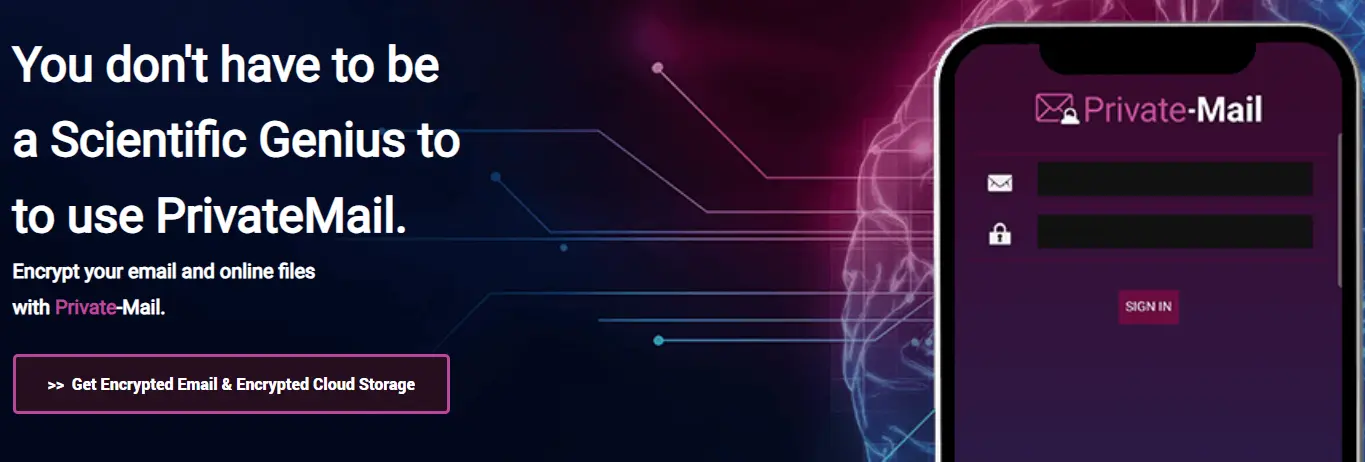
Private-Mail is a privacy-focused email service that combines encrypted email, secure cloud storage, and file sharing in one platform. It uses OpenPGP encryption to help protect your emails and files while giving you full control over your data.
Key Features
- OpenPGP Encryption: Private-Mail uses OpenPGP encryption to protect your emails. Only authorised recipients can read your messages.
- Encrypted Cloud Storage: Store files securely with built-in encrypted cloud storage. This keeps important documents protected.
- Secure File Sharing: Share encrypted files safely with colleagues or clients. It's useful for sending confidential documents.
- Self-Destructing Emails: Set emails to expire automatically after they're read. This adds an extra layer of privacy for sensitive information.
- Email Aliases: Create multiple email aliases to organise communication and reduce spam without exposing your primary email address.
Pros
- Uses OpenPGP end-to-end encryption and AES-256 file encryption for strong privacy.
- Includes encrypted cloud storage with every paid plan.
- Includes built-in calendar, contacts, and synchronization features.
Cons
- Pricing is higher than some competitors that provide similar encrypted email services.
- IMAP, POP3, and SMTP support are mainly available with business plans.
Pricing
Private-Mail personal plans start at .95 per month, while business plans start at .95 per month and include multiple email accounts, encrypted storage, and custom domains.
Best For
Private-Mail is a great choice for privacy-focused individuals, freelancers, journalists, remote teams, and businesses that need encrypted email and secure file sharing.
How We Selected These Email Encryption Tools?
There are many email encryption tools available, but they don't all offer the same level of security, features, or ease of use. Some are designed for personal privacy, while others are built for businesses that need advanced security and compliance.
To create this list, we compared the most popular email encryption providers based on the factors that matter most. We looked at their security, encryption standards, ease of use, pricing, business features, integrations, customer reviews, and overall value.
We also considered different types of users. Some tools are better for individuals, while others are a better fit for businesses, healthcare providers, legal firms, or organisations that need compliance features like GDPR or, where applicable, HIPAA.
Before choosing an email encryption tool, think about your budget, security needs, and the features you'll actually use. It's also worth checking whether the tool works with services like Microsoft 365 or Google Workspace and can grow with your needs over time.
How Does Email Encryption Work?
One thing I've noticed while testing email encryption tools is that they're much easier to use than most people expect. Once everything is set up, you simply write your email and click Send—the software handles the security in the background.

Before your email leaves your device, it's encrypted into unreadable code. If someone intercepts the message while it's travelling across the internet, they won't be able to read what's inside.
When the email reaches the recipient, it's unlocked using the correct decryption key or authentication method. This ensures that only the intended recipient can view the original message.
Different tools use different encryption methods. Most business email services use TLS encryption to protect emails while they're in transit, while some also offer end-to-end encryption (E2EE) for an extra layer of privacy.
Many tools also support public key encryption or password-protected emails when you're sharing highly sensitive information. In most cases, you won't need to configure these settings yourself.
From my experience, the best email encryption tools keep the technical side simple. You can continue using email as you normally would, while the software works quietly in the background to keep your messages secure.
Types of Email Encryption
Not all email encryption works the same way. Some methods protect emails only while they're being sent, while others keep them encrypted until the recipient reads them.
End-to-End Encryption (E2EE)
End-to-end encryption (E2EE) provides the highest level of security. Your email is encrypted before it leaves your device and can only be decrypted by the intended recipient. Even the email provider cannot read the message. Popular providers include Proton Mail, Tuta, and StartMail.
TLS Encryption
TLS (Transport Layer Security) is the most common email encryption method. It protects emails while they're travelling between mail servers and is used by providers like Gmail, Outlook, and Zoho Mail. However, it mainly secures emails during transmission, not after delivery.
PGP Encryption
PGP (Pretty Good Privacy) uses public and private encryption keys to protect emails. It offers strong security and is widely used by businesses, developers, and privacy-focused users, although it requires more setup than other methods.
S/MIME Encryption
S/MIME (Secure/Multipurpose Internet Mail Extensions) uses digital certificates to encrypt emails and verify the sender's identity. It's commonly used by businesses, government organisations, healthcare providers, financial institutions, and Microsoft Outlook users.
Best Practices for Secure Email Communication
Using an email encryption tool is a great first step, but good security habits are just as important. A few simple changes can help keep your emails and sensitive information safe.
Use a strong, unique password and enable multi-factor authentication (MFA). This adds an extra layer of security and makes it harder for anyone to access your account.
Always encrypt emails that contain confidential information, such as customer data, contracts, financial records, or legal documents. Also, double-check the recipient's email address before clicking Send.
Keep your email app and devices updated with the latest security patches. If you're using public Wi-Fi, avoid sending sensitive emails unless you're connected through a trusted VPN.
Common Mistakes to Avoid
Even the best email encryption tool can't protect you from simple mistakes. That's why good security habits are just as important as choosing the right software.
One common mistake is sending sensitive information through email without encryption. If you regularly share contracts, customer data, financial records, or legal documents, always use an encrypted email service.
Another mistake is using weak or reused passwords or not enabling multi-factor authentication (MFA). These simple security measures can make it much harder for attackers to access your email account.
It's also important to keep your email app and devices updated with the latest security patches. Before clicking Send, always double-check the recipient's email address to avoid sharing confidential information with the wrong person.
By avoiding these common mistakes, you can keep your emails more secure and better protect both your business and personal information.
Conclusion
Email encryption is no longer just for large businesses or IT teams. If you send customer information, financial records, contracts, or other sensitive data by email, using an email encryption tool is a simple way to improve your security and protect your privacy.
The best tool is the one that fits your needs. Some are built for maximum privacy, while others work well with business email services like Microsoft 365 or Google Workspace. Choose a solution that's easy to use today and can grow with your needs in the future.
If you want the best overall solution, Proton Mail is our top recommendation. EncryptTitan is a great choice for Microsoft 365 users, while Mailfence, Hushmail, Zoho Mail, StartMail, PrivateMail, and SecureMyEmail are all excellent options for different budgets and use cases.
We hope this guide has helped you choose the right email encryption software. For more software reviews, comparisons, and buying guides, keep exploring HostingCharges.in.
Top Providers at a Glance
| Provider | Rating | Starting price | Reviews | Coupons | Action |
|---|---|---|---|---|---|
 SecureMyEmail SecureMyEmail | 4.83 | .49/per month | 1 | 2 | Review |
 Zoho Mail Zoho Mail | 1.13 | ₹59.00/per month | 1 | 5 | Review |
 ProtonMail ProtonMail | 4.68 | €3.99/per month | 1 | 4 | Review |
 EncryptTitan EncryptTitan | 5 | €2.70/per month | 1 | 5 | Review |
 StartMail StartMail | 5 | .99/per month | 1 | 5 | Review |
 Hushmail Hushmail | 5 | .00/per month | 1 | 7 | Review |
 Mailfence Mailfence | 5 | .50/per month | 1 | 5 | Review |
 PrivateMail PrivateMail | 5 | .95/per month | 1 | 7 | Review |
Frequently asked questions
1. Can I encrypt email attachments?
Yes. Most email encryption tools also protect attached files such as PDFs, Word documents, spreadsheets, and images.
2. Are encrypted emails searchable?
Yes. Most providers let you search your encrypted emails, although the exact features vary between services.
3. Which email encryption tool is best for businesses?
It depends on your needs. Proton Mail, Zoho Mail, EncryptTitan, and PrivateMail are popular choices for businesses.
4. Can recipients read encrypted emails without installing software?
Some providers require recipients to use the same service, while others allow password-protected emails that can be opened through a secure web page.
5. Can I use encrypted email on mobile devices?
Yes. Most modern email encryption providers offer dedicated apps for Android and iOS, allowing you to send and receive secure emails from your smartphone.
Best Email Encryption Providers - Recent User Reviews
★★★★★
PrivateMail Hosting Review
Aron · 28 Jul 2026
The Perfect App
I’m happy with PrivateMail services. It’s one of the perfect apps. It offers powerful features and professional support. I really appreciate their pleasant guidance. Highly recommend!
★★★★★
Hushmail Hosting Review
Jamen · 06 Feb 2026
Great Service & Easy to Use
Hushmail is a great service, easy to use, & provides amazing support. Our company's been using Hushmail for two years already, and their team of professionals helped me solve each issue. Thank you, Hushmail!
★★★★★
EncryptTitan Hosting Review
Plavin · 14 Jan 2026
Very Interesting, & Robust Service
I have been using it for several years & I am fully satisfied with EncryptTitan's services. It is a very great, very interesting, and robust service. Amazing customer service, always helpful and friendly. Thank you, EncryptTitan!
★★★★★
Mailfence Hosting Review
Clerita · 13 Jan 2026
Great Company with Amazing Service
Mailfence is a great company with amazing service. Easy to set up & use. Affordable with a plan that works really well for my needs. Thank you so much, Mailfence for your wonderful services!
★★★★★
StartMail Hosting Review
Goerge · 12 Jan 2026
Great Tool & Easy to Use
StartMail is a great tool, easy to use, and support is responsive when needed. Its pricing is very low and offers powerful features. Overall, a very good tool. Thank you so much, StartMail!
★★★★★
SecureMyEmail Hosting Review
Leopold · 16 Jan 2025
Easy to use for Seure your email
It's simple to use, efficient, and widespread. It has automated encryption setup for all major providers, including Gmail, Yahoo, and Microsoft. It works on multiple devices. It helped with my business. Its cost is also quite low.