
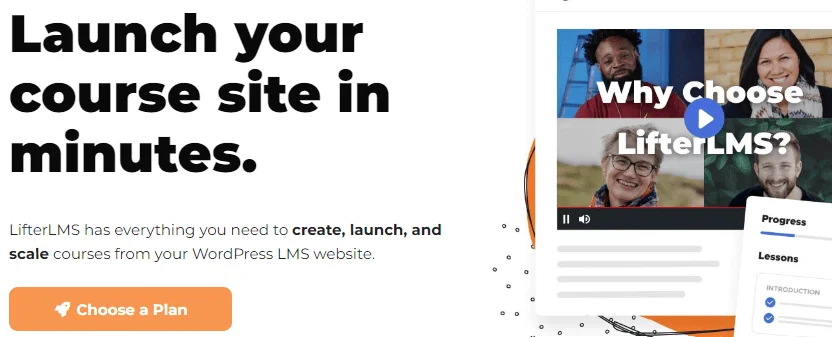
If you are trying to build an online course business on WordPress, you have likely hit a common wall. You start with a simple idea—teaching a skill—and suddenly you are juggling five different plugins for memberships, payments, gamification, and course structure.[1] The result? A slow site and a headache.
The online learning niche is exploding, but the tools often feel like they were built for developers, not teachers. This is where LifterLMS enters the conversation.
LifterLMS positions itself not just as a course builder, but as a complete "learning management system" that handles everything from sales to student engagement. But here is the anxiety most users feel: "Is the free version actually usable, or is it a trap to make me buy expensive add-ons?"
In this review, we will strip away the marketing hype to see if LifterLMS is a practical solution for your business or just another money pit.
LifterLMS is a powerful WordPress plugin designed to transform a standard website into a fully functional online school. It was founded in 2014 by Chris Badgett, a key figure in the WordPress education space who originally ran a course creation agency.[4] His experience with high-end clients informed the plugin’s development, leading to a tool that prioritizes stability and scalability over flashy, unnecessary gimmicks.
The core philosophy of LifterLMS is "Democratizing Education." Unlike many competitors that force you into a premium-only model immediately, LifterLMS operates on a "freemium" codebase. The goal was to build a lightweight, high-performance core that allows anyone to start a course for free, while offering modular paid add-ons for advanced businesses. It was built to be a robust alternative to hosted platforms like Teachable or Kajabi, giving you full ownership of your data without the platform risk.
Early LMS tools treated online education like simple file management—uploading a PDF and hoping for the best. The team behind Lifter came from backgrounds in expert coaching and instructional design, so they built the software with a "student success" philosophy.
Technically speaking, LifterLMS is a WordPress plugin that transforms a standard website into a full-featured learning platform similar to Coursera or Udemy.
Its defining characteristic is independence. Many LMS plugins require you to install third-party plugins (like WooCommerce or MemberPress) just to handle basic payments or memberships. LifterLMS aims to be a self-contained ecosystem, handling the curriculum, the student analytics, and the ecommerce engine natively.
LifterLMS Pros & Cons
Pros
- Powerful Free Core: The free version is not a "lite" demo; it is a full engine that allows unlimited courses and students.
- No "Plugin Glue" Needed: Handles memberships and payments natively without requiring WooCommerce.
- Visual Workflow: The course builder is intuitive and reduces the anxiety of complex curriculum planning.
- Performance: The code is optimized and scalable, suitable for sites with thousands of students.
- Student Focus: Native features like badges and certificates prioritize the learning experience.
Cons
- Cost of Individual Add-ons: Buying single features (like Stripe integration) à la carte is expensive compared to bundling.
- Plain Default Design: The out-of-the-box look is functional but stark; you will likely need a page builder or a theme like Astra to make it look modern.
- Menu Density: Because it handles so many functions, the backend settings menus can feel overwhelming to a complete beginner.
- Lack of Native Chat: There is no built-in system for real-time chat between students; this requires third-party tools.
Key Features
Marketing materials often list features, but they rarely tell you how those features feel in a day-to-day workflow. Here is our analysis of the core tools.
The Single-Screen Curriculum Builder
The most daunting part of course creation is the "blank canvas." If the software makes outlining difficult, creators tend to procrastinate. LifterLMS solves this with a visual, drag-and-drop course builder.
The workflow is distinct because it happens on a single screen. Rather than creating twenty separate "Lesson" pages and trying to link them together manually, you build the skeleton of your course from a bird's-eye view.
- Hierarchy: You create a Course, add Sections (e.g., "Module 1"), and drop Lessons inside them.
- Speed: You can outline an entire semester-long syllabus in minutes simply by typing the titles. You don't need the video content ready to build the structure.
Flexibility: If you decide a lesson works better in a different module, you simply drag it there.
For users intimidated by WordPress navigation, this visual approach significantly lowers the technical barrier.
Native Ecommerce Engine
This is arguably LifterLMS’s strongest differentiator. Most LMS options are content lockers; they aren't great at being cash registers. They usually force you to install WooCommerce to process payments, which adds weight to your database.
LifterLMS includes a robust cart system out of the box. You can create highly specific "Access Plans" without external tools:
- One-time payments: Sell a course for $200.
- Payment plans: Charge $100/month for three months.
- Memberships: Create a "Gold Tier" that gives access to all courses on the site.
Because this is native to the plugin, the checkout flow is smoother for the user, resulting in fewer abandoned carts compared to "Frankenstein" setups where multiple plugins try to talk to each other.
Gamification and Engagement
A major metric for online schools is "completion rate." Students often buy courses and never finish them. LifterLMS combats this with built-in gamification triggers.
You can configure Achievement Badges to pop up when a student completes a specific section. While it may seem trivial, these micro-rewards (dopamine hits) encourage progress. Furthermore, the system generates PDF Certificates upon course completion. These are customizable with dynamic data, meaning the software automatically inserts the student's name and completion date.
Content Dripping & Prerequisites
If you are running a cohort-based class or corporate training, you generally do not want students binge-watching all content in one day.
LifterLMS offers granular control over content availability:
Time-Based: Unlock Lesson 2 exactly 7 days after enrollment.
Date-Based: Unlock Module 3 on October 1st.
Prerequisites: Lock Lesson 5 until the user scores 80% or higher on the Lesson 4 quiz.
This feature set makes it viable for serious compliance training where proof of learning is legally required.
Reporting and Data
From the instructor's dashboard, you get a clear view of the health of your school. You aren't flying blind. The reporting tools allow you to track sales, enrollment numbers, and student progress. If you notice that 50% of your students stop watching "Lesson 3," you know you need to improve that specific video.
Pricing
LifterLMS operates on a model that can be confusing: a free core plugin with paid add-ons.
1. The Core Plugin (Free)
This is the full LMS engine. You can create courses, quizzes, and enroll students.
Limitation: You can only accept manual payments (checks/bank transfers).
Best for: Validation. Build your course and test the waters before spending money.
2. Earth Bundle (~$199/year)
Includes: One ecommerce add-on (Stripe, PayPal, or WooCommerce) and basic support.
Best for: Solopreneurs. If you just want to sell a course via credit card, this is the essential pack.
3. Universe Bundle (~$360/year)
Includes: Ecommerce, Email Marketing integrations (Mailchimp/ConvertKit), Form integrations, and the "Sky Pilot" design theme.
Best for: Marketers. Essential if you are building sales funnels and need to sync students to your email list.
4. Infinity Bundle (~$1200/year)
Includes: Everything. Advanced Quizzes, Assignments, Private Coaching, Social Learning, and Group (B2B) functionality.
Best for: Institutions and Academies. If you are selling training to companies (bulk enrollment) or running a high-ticket degree program.
LifterLMS Plans
| Core Plugin | Earth Bundle | Universe Bundle | Infinity Bundle |
|---|---|---|---|
| $0.00 per year | $149.50 per year | $249.50 per year | $749.50 per year |
|
|
|
|
Conclusion
After reviewing the architecture and workflow, our verdict is that LifterLMS is a powerhouse. It distinguishes itself by respecting the business of education just as much as the content of education.
For the Professional:
If you are building a long-term asset where you need total control over pricing, memberships, and student data, LifterLMS is a high-ROI investment. The native ecommerce engine alone saves you from the technical headaches associated with connecting WooCommerce to an LMS. While the Infinity Bundle is pricey, the Earth and Universe bundles offer competitive value for serious entrepreneurs.
For the Beginner/Hobbyist:
The free core version is arguably the best sandbox in the WordPress market. Unlike competitors who hide essential features behind a paywall, LifterLMS lets you build your entire curriculum for free. You can validate your course idea and even make your first few sales via manual invoice before you ever pay for the software.