
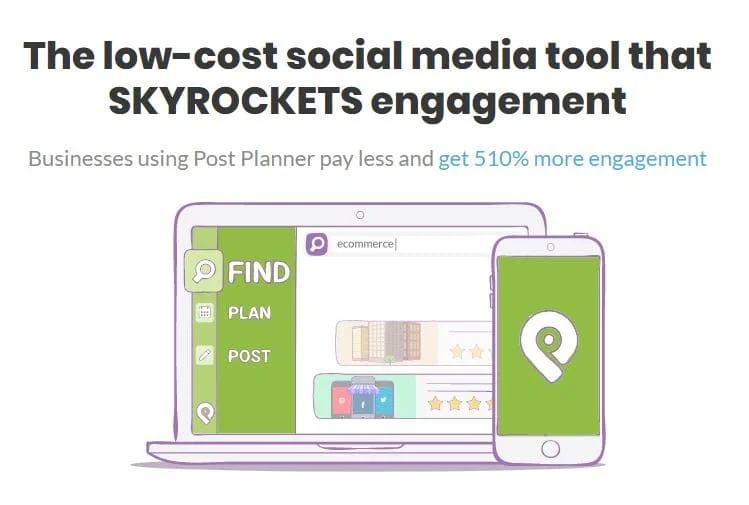
If you are tired of the daily stress of figuring out what to post on social media and constantly worrying that your silence is killing your business growth, Post Planner is essentially the automated assistant you need.
Post Planner is a Social Media Scheduler tool built for Engagement. It finds social media content for you and searches the web for popular posts in your industry.
You do not have to think of new ideas every day. The tool schedules everything to post automatically. It can even reuse your best posts later on. This keeps your social pages active with very little effort. It also uses AI to help you write captions and hashtags, and much cheaper than most other marketing tools. Basically, it helps you grow your audience without the stress of constant manual work.
Josh Parkinson originally developed this tool to address the technical frustration of Facebook, which lacked a native scheduling feature and forced page managers to be online whenever they wanted to publish.
While it began as a simple utility to save time, Parkinson quickly realized that the more significant struggle for users was not just scheduling, but finding high-quality material that actually generated engagement.
This insight drove the platform to evolve beyond basic automation into a robust content discovery engine, specifically designed to cure "writer's block" by providing users with scientifically proven viral content to maximize their social media performance.
Post Planner solves the constant struggle to find engaging content to post consistently on social media, especially for small businesses or individuals who don't have dedicated content teams.
This Virtual content assistant tool helps users with:
Eliminate Content Scarcity: Instead of staring at a blank calendar, users can leverage Post Planner's "Discover" feature to find trending articles, viral images, and engaging quotes curated from across the web, specifically relevant to their chosen industries or keywords. This ensures a constant stream of high-quality content ideas.
Boost Engagement with Proven Content: The tool identifies "viral" content, meaning it has a high likelihood of performing well, saving users from trial-and-error. By sharing content that's already proven popular, users can increase likes, shares, and comments.
Maintain Consistency with Automated Scheduling: Once content is found (or created), Post Planner allows users to quickly schedule it across multiple platforms with an intelligent calendar. This ensures a consistent presence even when the user is busy with other aspects of their business. They can set up "buckets" for different content types and automate the posting frequency.
Save Time and Resources: By streamlining content discovery and scheduling into one platform, Post Planner significantly reduces the time and effort required to manage social media, freeing up users to focus on other core business activities.
Optimize Content for Impact: Features like "Categorize" and "Create" (with image editing) help users organize their content and make it visually appealing and relevant to their brand before scheduling.
In essence, Post Planner empowers individuals and small teams to overcome the "what to post?" dilemma and maintain a vibrant, engaging social media presence without the need for extensive content creation resources or constant manual effort.
This detailed breakdown will help you decide if Post Planner is the right tool for you.
Post Planner Pros & Cons
Pros
- Unmatched Content Discovery: It finds viral content for you. If you struggle to know what to post, this is its biggest selling point.
- Very Affordable: It is significantly cheaper than competitors like Hootsuite, Sprout Social, or Buffer.
- Post Recycling: You can set "Evergreen" posts to automatically re-queue themselves. This means your best content keeps working for you forever.
- Canva Integration: You can design simple graphics without leaving the dashboard.
Cons
- Basic Analytics: The reporting is simple (likes/shares). It lacks deep data like competitor analysis or sentiment tracking found in expensive tools.
- Video Limitations: While it supports TikTok and Reels, it is historically better suited for photos, links, and text posts. It’s not a video-first editor.
- No Unified Inbox: It is not designed for "Social Customer Service." You cannot easily reply to all DMs and comments from a single fluid inbox.
- Mobile App: The mobile app is functional but often considered less powerful/intuitive than the desktop web version.
Key Features (Detailed)
Analyze: A dashboard showing likes, comments, shares, and clicks. This helps you stop guessing. It shows you exactly which posts worked so you can re-queue them (recycle them) and which ones failed so you can stop wasting time on that type of content.
Mobile: The companion smartphone app. Social media often happens on the go. This allows you to snap a photo at a live event or get an idea while waiting in line for coffee, and add it to your schedule immediately without needing to open your laptop.
Connect: The central hub where you link your Facebook, Instagram, LinkedIn, Pinterest, TikTok, and X (Twitter) accounts. This eliminates the "tab fatigue" of logging into six different apps. It turns Post Planner into your single "Mission Control" center for your entire digital presence.
Discover: A built-in search engine for viral content. This is the platform's "secret sauce." Unlike other tools that are empty until you fill them, this feature acts like a pre-filled library. You can search for "Coffee," "Real Estate," or "Motivation" and instantly find content that is proven to get likes, solving your writer’s block immediately.
Design: Integration with stock photo libraries and simple editing tools. You don’t need to be a graphic designer or pay for Photoshop. You can grab a royalty-free image, add a text overlay (like a quote or sale info), and polish it right inside the dashboard to keep your feed looking professional.
Categorize: The "Bucket" system that organizes posts by topic. This prevents you from being "that annoying brand" that only posts sales. It forces you to balance your strategy, e.g., ensuring you have a healthy mix of 50% education, 30% fun/memes, and only 20% sales pitches.
Create: The composer window where you write captions, add hashtags, and preview the post. This ensures your posts look perfect before they go live. You can customize the caption for each network (e.g., adding hashtags for Instagram but removing them for Facebook) without having to write the post three separate times.
Schedule: The automation calendar that publishes for you. This is the "time machine." You can do all your work on Sunday afternoon, and Post Planner will drip-feed the content out during the week at the specific times when your audience is most awake, so you don't have to interrupt your day to hit "post."
Pricing Package of Post Planner
Pricing is subject to change, but generally falls into these tiers:
- Free Trial: Usually a 7-day trial to test features.
- Starter (Approx. - / month):
- Good for: Solopreneurs.
- Includes: 3 social profiles, roughly 300 scheduled posts, and access to viral content.
- Solo / Growth (Approx. - / month):
- Good for: Small Businesses / Influencers.
- Includes: 10+ social profiles, unlimited scheduling, post recycling.
- Business (Approx. + / month):
- Good for: Agencies / Small Teams.
- Includes: Client management, team members, expanded account limits.
Post Planner Pricing
| Free | Starter | Growth | Business |
|---|---|---|---|
| Rs 0.00 per month | Rs 250.00 per month | ₹1000.00 per month | ₹1750.00 per month |
|
|
|
|
Step-by-Step Guide: How to Use It
If you sign up, here is the exact workflow you will follow to get results:
Step 1: Connect Accounts
- Go to Settings/Social Networks.
- Click "Connect" next to Facebook, Instagram, LinkedIn, etc., and authorize the permissions.
Step 2: Set Up "Buckets" (Your Strategy)
- Go to the Content tab.
- Create "Buckets" (Folders) for different types of posts.
- Example Buckets: "Inspirational Quotes," "My Blog Posts," "Promotional Offers," "Funny Memes."
Step 3: Create Your Schedule (The Plan)
- Go to Plan (The Calendar).
- Instead of scheduling specific posts, you schedule the Buckets.
- Example: Set the calendar to pull from the "Funny Memes" bucket every Friday at 5 PM.
- Now, you have a rigid structure waiting to be filled.
Step 4: Fill the Engine (Discover & Create)
- Option A (Find Content): Go to Discover. Search for "Coffee Lovers." Find a funny meme with 5,000 likes. Click "Add to Bucket" and select "Funny Memes."
- Option B (Create Content): Click Create. Write your post, upload an image, or design one with Canva. Select the "My Blog Posts" bucket.
- Option C (Recycle): If this is a timeless post, toggle the Recycle button ON.
Step 5: Launch
- Once your buckets have content in them, Post Planner automatically pulls the next post from the bucket at the time you set in Step 3. You don't need to do anything else!
Conclusion
In conclusion, Post Planner stands out as the ideal tool for small businesses, solopreneurs, and marketers who need to maintain a high-quality social media presence but lack the time or resources to create content from scratch every day. By merging automated scheduling with a powerful content discovery engine, it solves the two biggest killers of social media growth: inconsistency and writer's block.
If your goal is to turn your social media into a hands-free machine that consistently delivers proven, engaging content to your audience while you focus on running your business, then Post Planner is a highly effective and affordable solution worth implementing.