
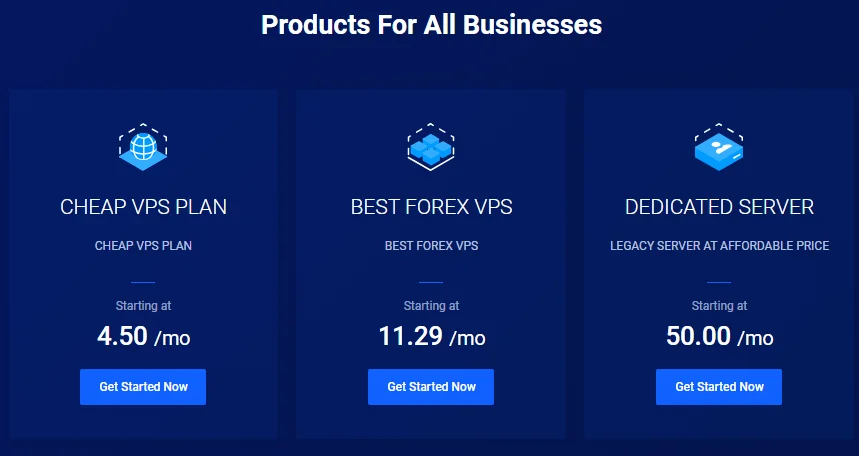
When choosing a platform for a WordPress website, most users look for popular names offering managed WordPress hosting providers that spend millions on advertising. However, in the world of server infrastructure, the highest performance is often found in niche sectors that require absolute precision.
One such sector is Forex trading. In this industry, server stability and speed are not just convenient; they are financial requirements. FxSVPS is a provider designed specifically for algorithmic traders who need their systems to run 24 hours a day without interruption.
Why should a WordPress user care about a hosting company built for currency traders? The answer lies in reliability and latency. If a server is powerful enough to handle high-frequency financial transactions, it can theoretically handle a WordPress database with ease.
However, the main concern for a standard website owner is usability. Is this platform too technical? Do you need to know how to code to use it? This review will examine FxSVPS from the perspective of a WordPress user, determining if its raw power is worth stepping outside the mainstream hosting market.
What is FxSVPS?
FxSVPS is a hosting provider managed by FxSUCCESS Ltd. The company has been in operation since roughly 2012 and was established with a singular focus: providing Ultra-Low Latency Virtual Private Servers (VPS) for traders using platforms like MetaTrader 4 and 5.
The core philosophy of FxSVPS is resource isolation and uptime. Unlike cheap shared hosting, where thousands of websites crowd a single server, FxSVPS builds its infrastructure to ensure that one user's activity does not slow down another. This is critical in trading, where a delay of a few milliseconds can result in financial loss.
While their primary product is the Windows VPS for trading software, they have expanded their services to include dedicated Linux Web Hosting. This allows users to host standard websites using the same high-performance network backbone that supports their financial clients.
FxSVPS Pros & Cons
Pros
- High-Performance Hardware: NVMe storage and high-frequency CPUs provide excellent speed for the price.
- Strict Uptime Standards: The infrastructure is built to stay online for critical financial applications.
- Familiar Interface: Web hosting plans come with cPanel, making it easy to manage WordPress.
- Cost Effective: The pricing is generally lower than managed WordPress hosting competitors for similar specs.
- Free Migration: They often assist in moving your site from another provider.
Cons
- Niche Support Team: The support staff are experts in VPS and trading, but they may not be able to help troubleshoot specific WordPress plugin errors.
- Strict Refund Policy: The refund window is often much shorter (sometimes 24-48 hours) compared to the standard 30-day policy of general hosts.
- Basic User Interface: The billing and account management area is functional but lacks the modern, polished design of newer hosting companies.
- Manual Upgrades: Scaling up from a small plan to a larger one may require more manual intervention than cloud-based WordPress hosts.
Key Features: Analyzed for WordPress
Features on a spec sheet often look the same across different hosts. Here is a breakdown of what FxSVPS offers and how specifically it impacts a WordPress workflow.
NVMe SSD Storage Architecture
Storage speed is one of the most important factors for WordPress performance. FxSVPS utilizes NVMe (Non-Volatile Memory Express) solid-state drives.
- The Technical Impact: Traditional SSDs use SATA interfaces, which have a speed limit. NVMe drives connect directly to the system's main board, allowing for much faster data transfer.
- The WordPress Benefit: WordPress relies heavily on database queries. Every time a visitor loads a page, the server must fetch content from the database. NVMe storage processes these requests significantly faster than standard SSDs. This results in a faster administrative dashboard and quicker page loads for visitors.
Strategic Data Center Locations
FxSVPS maintains servers in major financial hubs, including London, New York, Amsterdam, Frankfurt, and Singapore.
- The Technical Impact: These locations are chosen because they are physically close to major financial exchanges to reduce network lag.
- The WordPress Benefit: Physical distance still matters on the internet. If your target audience is in the UK, hosting your site in the London data center will make your site load faster for them than if it were hosted in the US. The "financial grade" connectivity often implies better routing paths, which can improve overall site stability.
"Bank Vault" Security Protocols
When a hosting company specializes in Forex trading, they are effectively hosting money. This means their servers are constant targets for malicious attacks and DDoS attempts. Because FxSVPS has to protect financial data, they invest heavily in enterprise-grade firewalls and security monitoring.
- The WordPress Benefit: By hosting your site here, you are essentially parking your car in a bank vault rather than on the street. You benefit from their high-level security umbrella without paying extra for it. While you still need to keep your WordPress plugins updated, the server-level protection is significantly tougher than what you find on budget "unlimited" hosting plans.
Standard cPanel Workflow
Despite being a specialized VPS provider, FxSVPS offers cPanel for its web hosting plans.
- The Usability Factor: This effectively removes the "fear factor" for non-technical users. cPanel is the industry standard control panel. It includes Softaculous, a tool that allows you to install WordPress with a single click.
- The Workflow: You do not need to use a command line interface or configure a server manually. You can manage email accounts, databases, and file managers exactly as you would on a mainstream host like Bluehost
Uptime Guarantee
The company advertises a 99.99% uptime guarantee.
- The Reliability Factor: In the world of general blogging, a few minutes of downtime is annoying but acceptable. In Forex trading, downtime is unacceptable. Because FxSVPS maintains its infrastructure for traders, WordPress users benefit from this rigorous maintenance schedule. The servers are monitored strictly to ensure they remain online continuously.
The Reality of Support: The Landlord vs. Handyman
Before you sign up, it is important to understand the support relationship here. FxSVPS acts like a landlord: they ensure the building (the server) has power, water, and is secure. If the server goes down, they fix it immediately.
However, they are not handymen. If your WordPress theme breaks or a plugin causes a crash, that is considered "furniture" inside your apartment—it is your responsibility to fix it. Unlike managed hosts (like WP Engine) that might jump in to help you code, FxSVPS expects you to handle the WordPress side of things. If you are comfortable Googling error messages, you will be fine. If you need someone to hold your hand through technical issues, keep this distinction in mind.
High Technology Cluster
At FxSVPS, they use only XEN and VMware for their servers, which is trusted as one of the best virtualization technology.
Pricing
FxSVPS separates its services into Web Hosting (Shared Linux) and VPS Hosting (Virtual Private Server). For WordPress, the Web Hosting plans are the most relevant, though power users may prefer a VPS.
Web Hosting Plans (Managed via cPanel)
These plans are designed for standard websites and blogs.
Standard Plan (Approx. $3.50 - $4.00/mo):
Storage: 20 GB NVMe SSD.
Bandwidth: Unlimited.
Sites: Host 1 Website.
Best For: A personal portfolio, a local business site, or a blog.
Advance Plan (Approx. $5.50 - $6.00/mo):
Storage: 30 GB NVMe SSD.
Bandwidth: Unlimited.
Sites: Host Multiple Websites.
Best For: Small agencies or users running multiple niche affiliate sites.
VPS Plans (Self-Managed or Semi-Managed)
These are raw servers usually running Windows or Linux.
Lite VPS (Approx. $8.50/mo):
Specs: 2 CPU Cores, 2 GB RAM, 30 GB Disk.
Use Case: Running a trading bot or a very high-traffic custom web application.
Best For: Developers who want full control over the server environment.
VPS Hosting
| Plan Name | OS | Space | CPU | RAM | Price |
|---|---|---|---|---|---|
| Economy Starter | Linux | 15 GB SSD | 1 CPU Core | 800 MB | $3.60 per month |
| Economy Zone | Linux | 20 GB SSD | 1 CPU Core | 1024 MB | $5.00 per month |
| Economy Pro | Linux | 25 GB SSD | 1 CPU Core | 1600 MB | $5.99 per month |
| Lite Package | Linux | 30 GB SSD | 1 CPU Core | 2 GB | $8.49 per month |
| Basic Package | Linux | 40 GB SSD | 2 CPU Core | 3 GB | $14.41 per month |
| Premium Package | Linux | 70 GB SSD | 4 CPU Core | 6 GB | $30.59 per month |
| Visit FxSVPS VPS Hosting (Discount Link) | |||||
Dedicated Hosting
| Plan Name | OS | Space | CPU | RAM | Core | Price |
|---|---|---|---|---|---|---|
| DS-Starter | Linux | SoftRAID 100 GB SSD | Intel Xeon E3-1225v2 | 12 GB DDR3 1333 MHz | CPU 4c / 8t 3.2GHz | $45.00 per month |
| DS-BASIC | Linux | SoftRAID 200 GB SSD | Intel Xeon E3-1245v2. | 16 GB DDR4 ECC RAM | CPU 4c / 8t 3.4GHz | $58.00 per month |
| DS-ADVANCE | Linux | SoftRAID 4×480 GB SSD | Intel Xeon D-1520 | 32 GB DDR4 ECC 2133 MHz | CPU 4c/8t 2.2GHz | $99.00 per month |
| DS-PREMIUM | Linux | SoftRAID 2×480 GB SSD | Intel Xeon E5-1630v3 | 64 GB DDR4 ECC 2133 MHz | CPU 4c / 8t 3.7GHz | $140.00 per month |
| Visit FxSVPS Dedicated Hosting (Discount Link) | ||||||
Domain Name Pricing
| Extension | Registration | Renewal |
|---|---|---|
| .ca | ₹10.88 | — |
| .icu | ₹1.86 | — |
| .nl | ₹7.57 | — |
| .top | ₹1.96 | — |
| .us | ₹5.12 | — |
Conclusion
FxSVPS is a strong example of how looking outside the standard "WordPress Bubble" can yield great results for specific users. It prioritizes function and speed over marketing and design.
For the Professional (Developer or Site Manager) - If you are looking for high Return on Investment (ROI), FxSVPS is an excellent choice. You get enterprise-grade hardware (NVMe SSDs and optimized routing) for the price of budget shared hosting. If you are capable of troubleshooting minor WordPress issues yourself and do not rely on support for plugin conflicts, the performance gains here are substantial. It is also the perfect choice if you are already a trader, as you can consolidate your trading VPS and personal website hosting into one provider.
For the Beginner/Hobbyist - If this is your first time building a website, FxSVPS might present a slight challenge. While they provide cPanel, which makes things easier, their support team is not dedicated to teaching you how to use WordPress. If you value 24/7 chat support that can help you fix a broken theme or configure a plugin, you might be better suited for a managed WordPress host. However, if you are on a tight budget and want a fast site, and you are willing to learn the basics of cPanel, this is a very safe and reliable option.